# How much Bootstrap 4 Can help for a real world project?
> I am a junior web developer recently learned Bootstrap 4 and try to explore the possibility of the framework in a real world frontend project.
## Before Start ...
- To tell the possibility, **I decided to do a real-world project with Bootstrap 4 to get the experiences**.
- **I choose to clone the website of an Online Coding School ( [Microverse](https://www.microverse.org/)[.org](http://www.microverse.org) )** I am attending to for this project, because:
- It is a [Single Page Application](https://en.wikipedia.org/wiki/Single-page_application) which is common for today's job market.
- It has about 7 ~ 8 sections to introduce its features and services which make it complicated enough compared to other real-world projects.
- It uses #Bootstrap4 and custom CSS for its fronted decoration, which is exactly what I am looking for.
- I didn't build the website from scratch, but I tried not to get any help from the school or any other people to **ensure that is how I will work in the real world project**.
- **I finished this project in about** a month, but I was doing few others projects and studying during the period, so the total hours I spent on this project are about **30 ~ 40 hours**.
- **The final project** is not completely identical to the original one (and I am not intend to), you **can see it from this [link](https://kelvin8773.github.io/clone-microverse/).**
Below are how I have accomplished this project and what conclusion I came out of it.
## Let's get it start => First Part - Project Setup
At first, I go to [GetBootstrap](https://getbootstrap.com/docs/4.3/getting-started/download/)[.com](http://getbootstrap.com) to download the latest version of [Bootstrap Source Files](https://github.com/twbs/bootstrap/archive/v4.3.1.zip). (It is V.4.2.1), unzip it, and I saw the following files inside the folder. (There are many sub-folders and files I have omitted).
```
bootstrap-4.2.1 tree -L 2
.
├── CNAME
├── CODE_OF_CONDUCT.md
├── ...
├── build
│ ├── banner.js
│ ├── ...
│ └── vnu-jar.js
├── composer.json
├── dist
│ ├── css
│ └── js
├── js
│ ├── dist
│ ├── src
│ └── tests
├── nuget
├── package-lock.json
├── package.js
├── package.json
├── scss
│ ├── _alert.scss
│ ├── _badge.scss
│ ├── _breadcrumb.scss
│ ├── _button-group.scss
│ ├── ...
└── site
├── _data
├── ...
└── sw.js
17 directories, 67 files
```
For my purpose, I only focus on one major folder - ` ./scss`, because I will compile my own version of CSS through **Sass**. I copied the entire `./scss` folder to my project folder, below are my project folder structure.
```
➜ clone-microverse git:(development) tree
.
├── [1.0K] LICENSE
├── [ 736] README.md
├── [ 224] assets
│ ├── [ 128] bootstrap
│ │ └── [1.4K] scss
│ │ ├── [1.1K] _alert.scss
│ │ ├── [1.0K] _badge.scss
│ │ ├── [1.2K] ...
│ │ ├── [ 920] bootstrap.scss
│ │ ├── [1.0K] mixins
│ │ └── [ 576] utilities
│ ├── [ 128] css
│ │ ├── [438K] custom.css
│ │ └── [452K] custom.map
│ ├── [2.0K] images
│ │ ├── [9.8K] 1-r-kn-gdqsl-5-lie-3-l-r-7-j-n-0-a-zq-2-x.png
│ │ ├── [9.5K] 2000-px-stack-overflow-logo-svg.png
│ │ ├── ...
│ └── [ 128] scss
│ ├── [ 27K] _style.scss
│ └── [1.2K] custom.scss
└── [ 48K] index.html
7 directories, 47 files
```
There are 2 `/scss` folders in this project, one is `./asset/bootstrap/scss` (from Bootstrap source files) and another one is `./asset/scss` (for me to write customized code inside), and the output folder is `./asset/css` (Where my HTML will refer link to).
For `Sass` compiler, I use [**Scout-App**](https://scout-app.io/) to help, it is a Sass GUI so it is very straightforward and easy to set up.
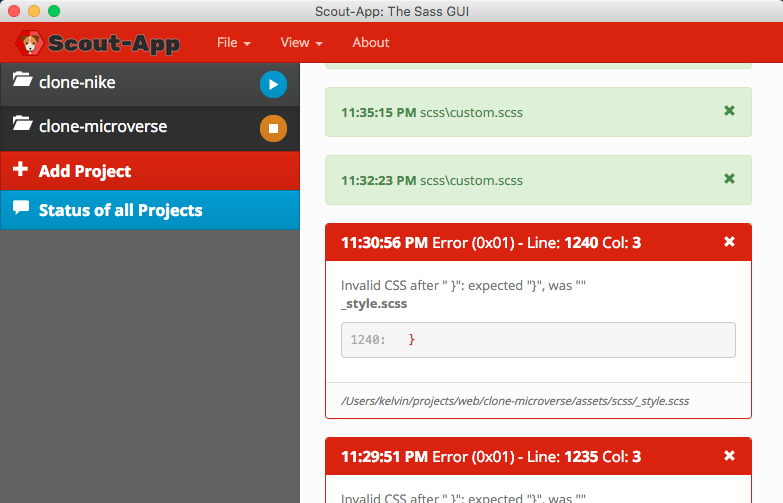
Once I finish the project setup, I start my coding in HTML & Sass files.
## Second Part => Coding ... (the hardest part)
Base on Bootstrap Official [Documentation](https://getbootstrap.com/docs/4.1/getting-started/theming/), I created a custom.scss file to add my customized elements and bootstrap base file together.
```
// Custom.scss
// Option A: Include all of Bootstrap
/* -------begin customization-------- */
$theme-colors: (primary: #6f23ff,
secondary: #ffd540);
:root {
--dusk: #3e396b;
--very-light-blue: #f8faff;
--purplish-blue: rgb(111, 35, 255);
--tealish: rgb(65, 211, 189);
--light-tan: #f9f1ae;
--padding-sm: calc((100vw - 540px) / 2);
--padding-md: calc((100vw - 720px) / 2);
--padding-lg: calc((100vw - 960px) / 2);
--padding-xl: calc((100vw - 1140px) / 2);
--oPadding: calc(0.16 * 100vw);
--oHeight: calc(0.16 * (100vw - var(--padding-xl)));
--oHalfHeight: calc(0.16 * (50vw -var(--padding-xl)));
}
/* -------end customization-------- */
/* import Bootstrap to set the changes! */
@import "../bootstrap/scss/bootstrap.scss";
/* ----------- custom font import ------------ */
@import url("https://fonts.googleapis.com/css?family=Domine:400,700|Maven+Pro:400,500,700,900|Montserrat:400,500,600,700,900&display=swap");
/* ------------ Self-styling -------------- */
@import "./style";
```
I used "Option A" - to include all the bootstrap components in this project, put all self-styling customization into a separated file `./style.scss`, Sass will compile all sass files into one big giant css output to `./asset/css/custom.css`, which I
refer it back in my `index.html` file.
```
clone-Microverse - Online Coding School
```
So far all the steps above are very clear and easy to follow ( I finish them in about an hour), but what coming in next are out of my calculation.
I spent the first few hours trying to re-create the navigation bar and landing page by myself. The more I tried, the more I found it is hard and complex. I tried to utilize more bootstrap 4 classes and less customize CSS, but it seemed impossible.
The original website looks pretty slick and stylish, isn't it? Yes, but the price is very specified and complex frontend code.

I finally gave it up and try to look at the original website's code to see how they actually come together, the result is shocking - there are more stacks or layers to make up one component than I originally thought, there are more custom CSS than use Bootstrap 4 class directly, they intend to use more #id rather than class for specificity of CSS style. Below are a peek on the code -
```
# Index.html